Screenshots

Introduction
Open Camera is a highly versatile and feature-rich photography application developed by Mark Harman. With its latest version 1.55, Open Camera stands as a testament to the power of open-source software, providing users with an extensive array of tools to capture stunning images and videos. This app offers a user-friendly interface while exposing the full functionality of your device's camera, ensuring that both amateur and professional photographers can make the most out of their mobile photography experience. Key features include scene modes, auto-leveling capabilities, customizable controls, and support for HDR, among many others. Whether you are looking to snap a quick selfie or shoot a cinematic video, Open Camera caters to all your imaging needs.
Graphics & Gameplay
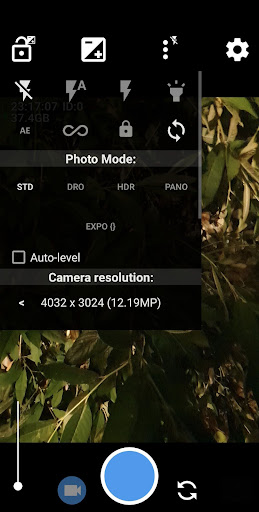
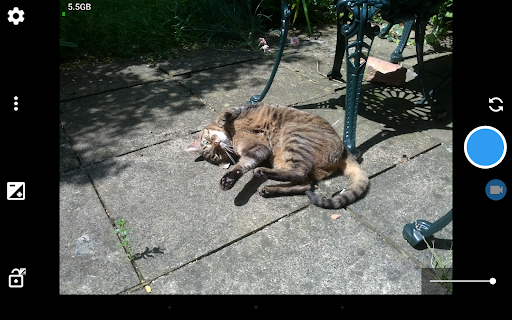
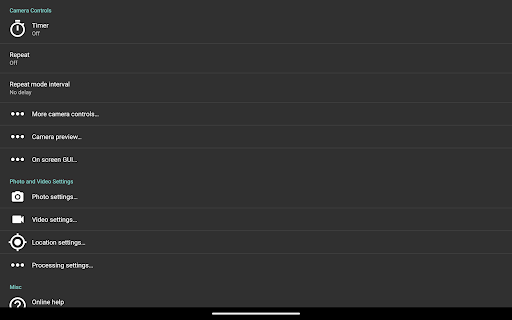
The visual design of Open Camera is clean and straightforward, which allows users to quickly familiarize themselves with its functionalities. The app features a minimalist interface, where essential controls are easily accessible without cluttering the screen. The screenshots depict a variety of modes and settings, showcasing an intuitive layout that prioritizes usability. Users can toggle between various settings, including grids and crop guides, while the camera preview remains unobstructed. The vibrant visual elements enhance the overall experience, making navigation seamless for users of all skill levels. In terms of graphics, the app does not disappoint; it is designed to maximize the capabilities of your device's camera, ensuring that the quality of captured images is always high.
Key Features
- Auto-Leveling: Ensures that your photos are perfectly aligned, eliminating the hassle of crooked images.
- Scene Modes: Choose from a variety of scene modes, color effects, and white balance settings to achieve the desired look.
- Remote Control Options: Features such as a timer with a voice countdown, auto-repeat mode, and Bluetooth LE remote control enhance shooting flexibility.
- Noise-Activated Shutter: Capture moments hands-free by taking a photo in response to a noise.
- Geotagging: Automatically tags your photos and videos with GPS location data, including compass direction.
- Panorama Mode: Allows users to create stunning panoramic images using either the rear or front camera.
- Support for Camera2 API: Unlocks advanced camera features, including manual controls, RAW (DNG) support, and slow-motion video.
- Focus Bracketing: Take multiple shots at different focus distances to ensure you capture the perfect moment.
- No Third-Party Ads: Enjoy an uninterrupted experience without annoying advertisements.
Mod Features
For those looking to enhance their experience further, several mod features can be imagined for Open Camera:
- Premium Unlocked: Access all premium features without any restrictions, allowing you to use every aspect of the app to its full potential.
- No Ads: Enjoy an ad-free experience, ensuring that your photography sessions are not interrupted by unwanted distractions.
- Unlimited Money: While this feature might not directly apply to a photography app, it could allow for the purchase of in-app enhancements or premium filters.
- Enhanced Filters: Gain access to an exclusive library of advanced filters and effects that can be applied to your photos in real-time.
- Advanced Editing Tools: Incorporate a suite of professional editing tools, allowing for post-processing without needing an external app.
How to Install APK on Android
Installing the Open Camera APK on your Android device is a straightforward process. Follow these steps for a smooth installation:
- Enable Unknown Sources: Go to your device's Settings > Security > Enable 'Unknown Sources' to allow installations from sources other than the Google Play Store.
- Download the APK: Click on the following link to download the Open Camera APK: Download Open Camera APK.
- Locate the Downloaded File: Use a file manager to navigate to your Downloads folder where the APK is saved.
- Install the APK: Tap on the APK file to initiate the installation process. Follow the on-screen prompts to complete the installation.
- Launch the App: Once installed, open Open Camera from your app drawer and start capturing stunning images!
Call to Action
If you are looking for a powerful, open-source camera application that offers a wealth of features to enhance your photography skills, look no further than Open Camera. Take control of your mobile photography today by downloading Open Camera from the link below: